This post first appeared on dev.to
Hi :wave:, In this post we shall explore Bedrock’s structured KB with this architecture: Upload CSVs to S3 > SNS Queue > Crawl data with Glue > Query with Redshift > Bedrock KB > Query with LLM.
Setup
Let’s do some of this with code. Let’s get started.
Clone the repo and switch to the project directory.
git clone git@github.com:networkandcode/networkandcode.github.io.git
cd structured-kb-demo/
Do a uv sync.
uv syncSetup environment variables.
$ cat .env
AWS_ACCOUNT_ID=
AWS_ACCESS_KEY_ID=
AWS_REGION=ap-south-1
AWS_SECRET_ACCESS_KEY=

BEDROCK_KB=StructKb
BEDROCK_KB_IAM_POLICY=StructKbIamPolicy
BEDROCK_KB_IAM_ROLE=StructKbIamRole

GLUE_CRAWLER=struct-kb-glue-crawler
GLUE_CRAWLER_IAM_POLICY=StructKbGlueCrawlerIamPolicy
GLUE_CRAWLER_IAM_ROLE=StructKbGlueCrawlerIamRole
GLUE_DB=struct-kb-glue-db

REDSHIFT_IAM_ROLE=StructKbRedshiftIamRole
REDSHIFT_NAMESPACE=struct-kb-rs-ns
REDSHIFT_WORKGROUP=struct-kb-rs-wg

S3_BUCKET=struct-kb-bucket
S3_FOLDER=inventory

SQS_QUEUE=struct-kb-queue
Common files
The vars file will load all the env vars once. The arns file is used to form some of the arns we need. And the logger file is used to setup a common logger for rest of the code.
Bucket
Setup an S3 bucket.
uv run setup_s3_bucket.py INFO:logger:Bucket struct-kb-s3-bucket created successfullyQueue
Setup an SQS queue with an access policy that allows the S3 bucket to send message to it.
uv run setup_sqs_queue.pyINFO:logger:Queue created successfully.Event notification
Update S3 bucket to notify SQS queue on events.
uv run setup_s3_event_notification.pyINFO:logger:Successfully added event notificationsDatabase
Setup a glue database.
uv run setup_glue_db.pyINFO:logger:Glue database created successfully.Crawler
Setup an IAM policy that allows access to the S3 bucket and SQS queue.
uv run setup_glue_crawler_iam_policy.pyINFO:logger:Policy created successfully!Setup an IAM role which attaches the policy we just defined as well as the AWS managed glue policy.
uv run setup_glue_crawler_iam_role.pyINFO:logger:Created role
INFO:logger:AWS Glue Service Role policy attached.
INFO:logger:Custom Glue Crawler policy attached.We can now provision a glue crawler and attach the role above to it.
uv run setup_glue_crawler.pyINFO:logger:Crawler created successfully.Redshift
We shall setup a RedShift IAM role by attaching the AWS managed policy to it.
uv run setup_redshift_iam_role.pyINFO:logger:Created role: StructKbRedshiftIamRole
INFO:logger:Attached AmazonRedshiftAllCommandsFullAccess to StructKbRedshiftIamRoleProvision a namespace, attach the role above to it, and also provision a workgroup to run the namespace workloads on it.
uv run setup_redshift_workgroup.py INFO:logger:Namespace creation initiated.
INFO:logger:Workgroup creation initiated.See the data
There are two small files with sample inventory data: inventory1, inventory2. Let’s upload the first one.
uv run upload_csv_to_s3.py inventory_day_1.csv Upload Successful: inventory/inventory_day_1.csvRun the crawler so that it fetches data from S3 and adds a table on glue database.
uv run run_glue_crawler.pyINFO:logger:Crawler started.
INFO:logger:Crawler is still running...
INFO:logger:Crawler is still running...
INFO:logger:Crawler is stopping...
INFO:logger:Crawler is stopping...
INFO:logger:Crawler is stopping...
INFO:logger:Crawler is stopping...
INFO:logger:Crawler is stopping...
INFO:logger:Crawler is stopping...
INFO:logger:Crawler is stopping...
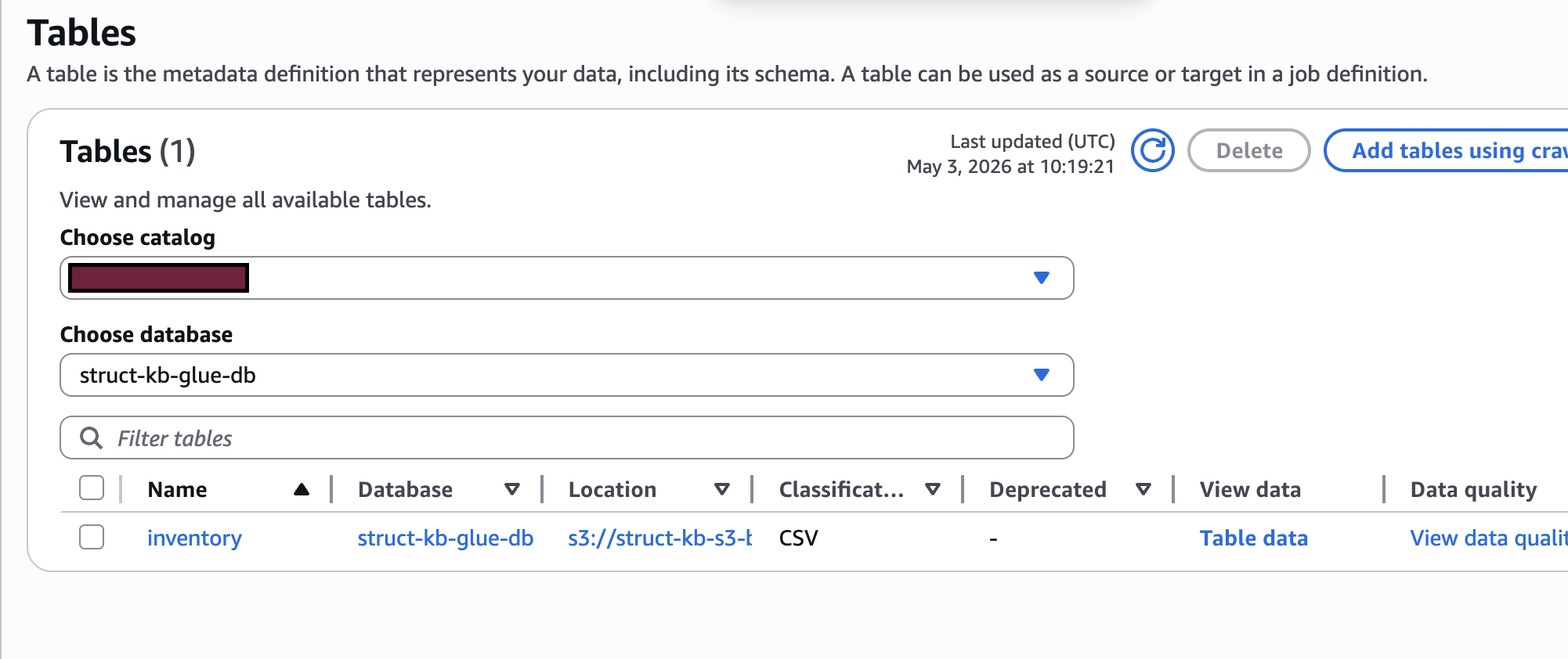
INFO:logger:Crawler finished. Final State: READYWe did a lot with the cli, let’s do some verification from the gui, on the web console. We can see the table on the glue db in the hirerarchy AWS Glue > Data Catalog > Tables.
Now, go to Amazon Redshift > Serveless > Query editor v2 Click on the workspace, and use the default settings to connect. Run this command on the editor:
SELECT * FROM "awsdatacatalog"."struct-kb-glue-db"."inventory"In my case the table name is inventory which is same as the s3 folder name. I got results like below.
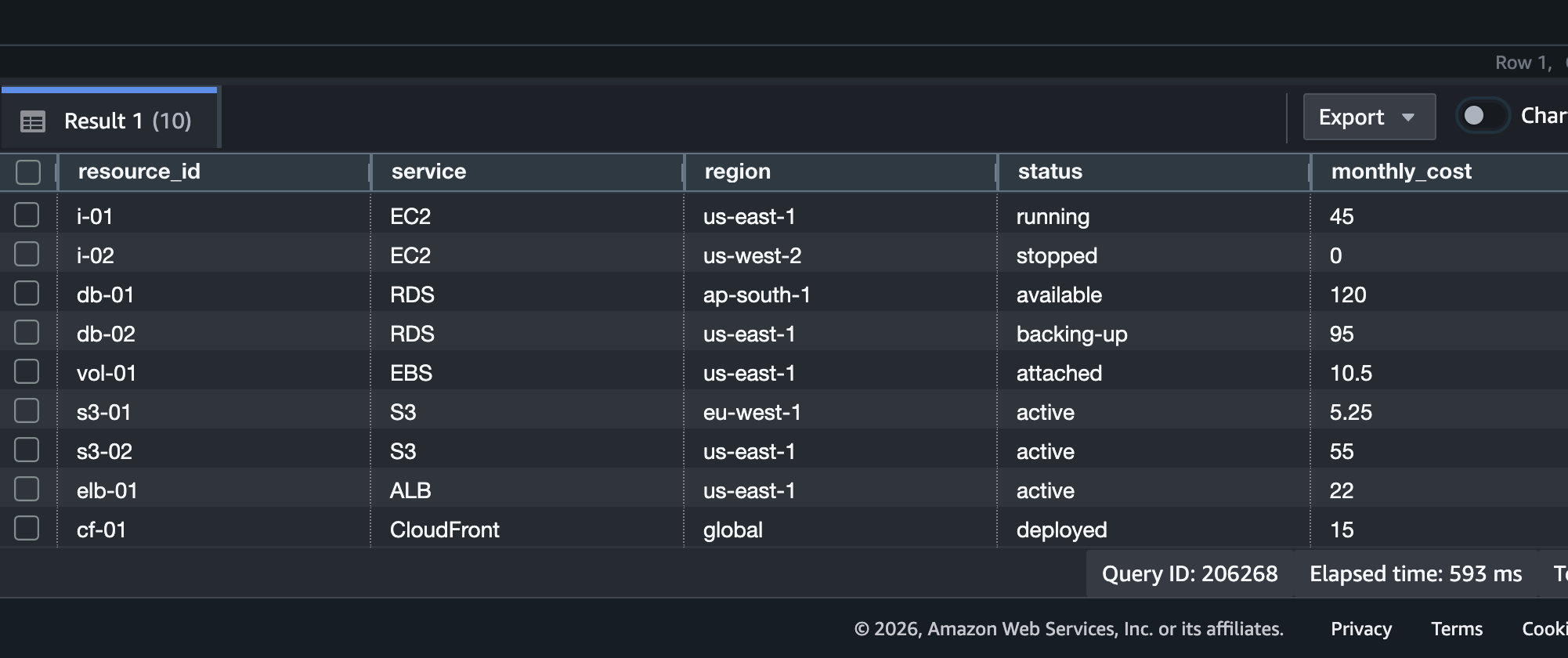 Note that there are 10 records.
Incremental data
Now, let’s add another csv file for day 2.
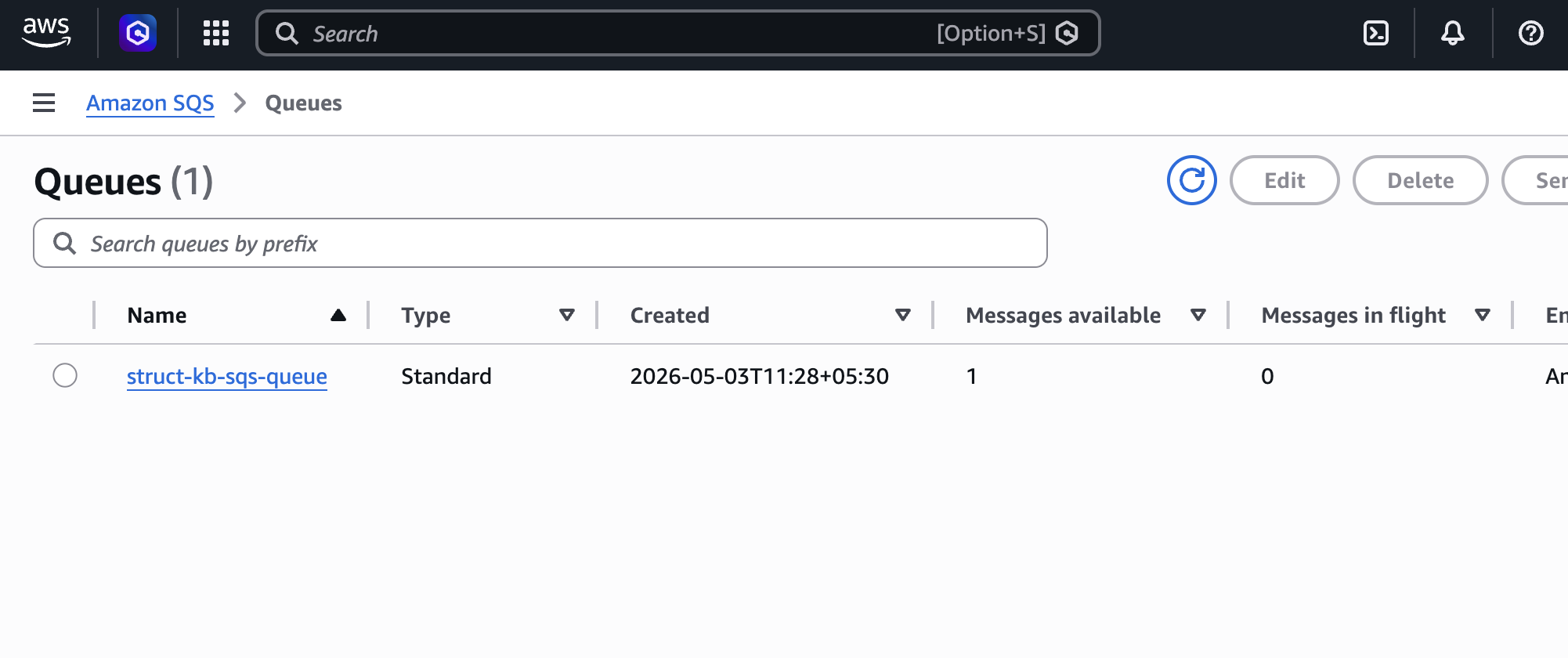
uv run upload_csv_to_s3.py inventory_day_2.csv The SQS queue shoud show there is one message available.
We can run the crawler to fetch the change.
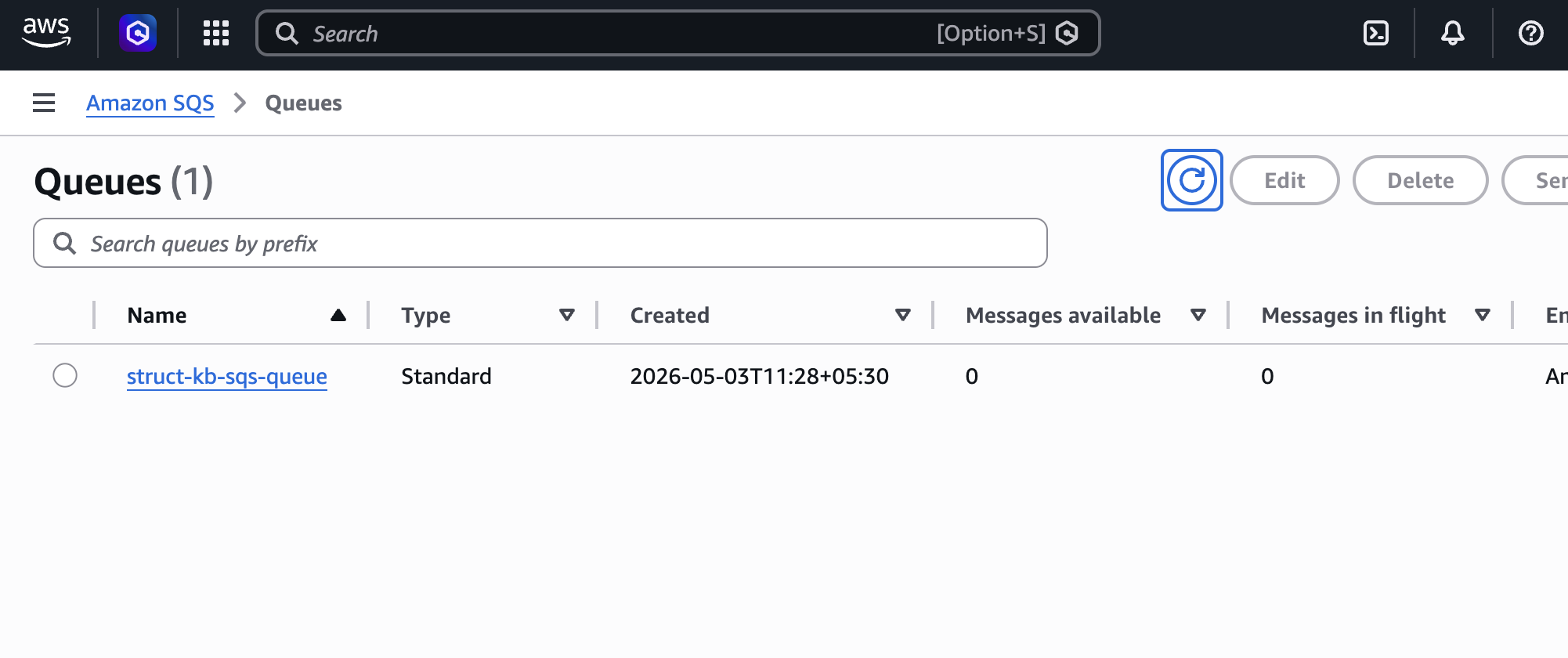
uv run run_glue_crawler.py The SQS messages available should become 0.
The same query in redshift should now give 20 records.
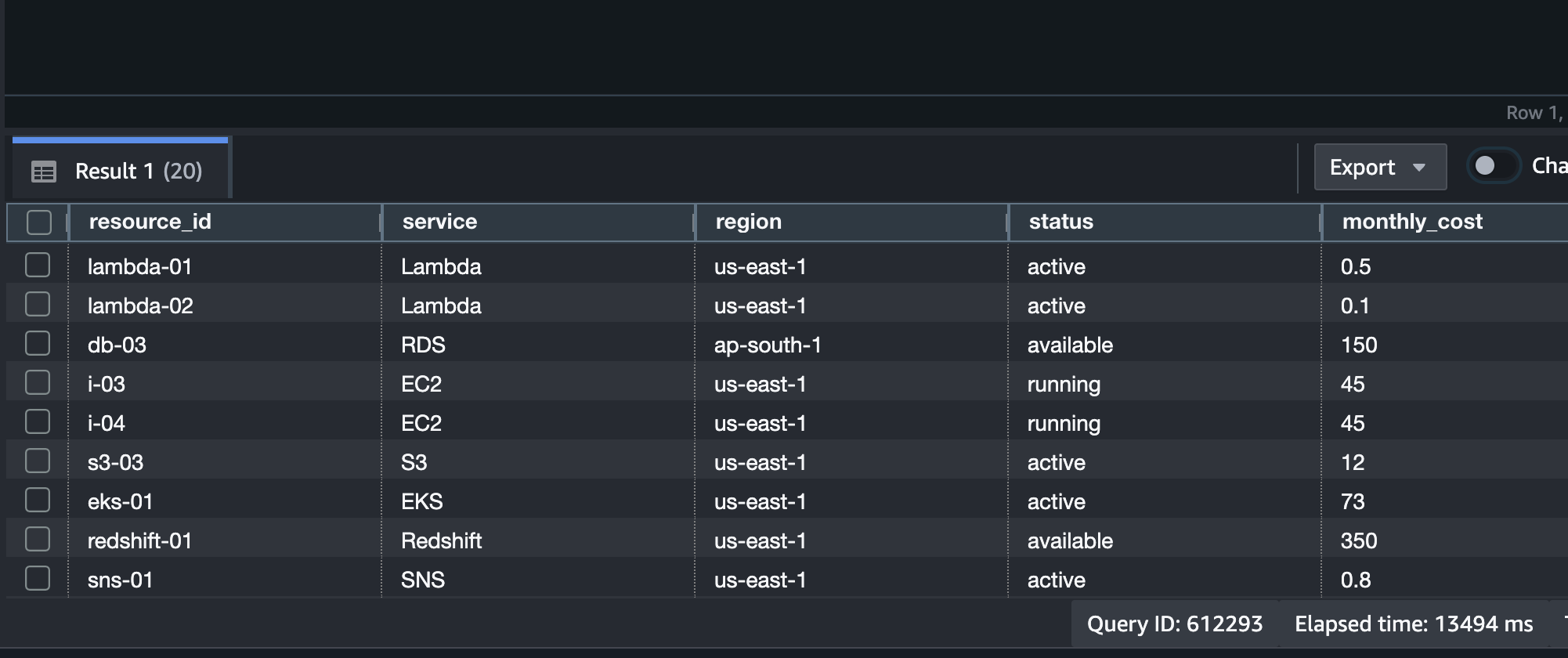
Bedrock KB
We got the results in redshift editor through the command. We can try to retrieve results via Bedrock KB through natural language.
Setup IAM policy for bedrock kb.
uv run setup_bedrock_kb_iam_policy.py Setup IAM role and attach this policy.
uv run setup_bedrock_kb_iam_role.pyINFO:logger:Created role: StructKbBedrockKbIamRole
INFO:logger:Attached IAM policy to BedrockKB IAM role.Create and sync the knowlege base.
uv run setup_bedrock_kb.pyWe can go to Amazon Bedrock > Knowledge Bases on the web console and click on the knowledge base that was created. And test the knowledge base, I’ve used the following settings with a test prompt.
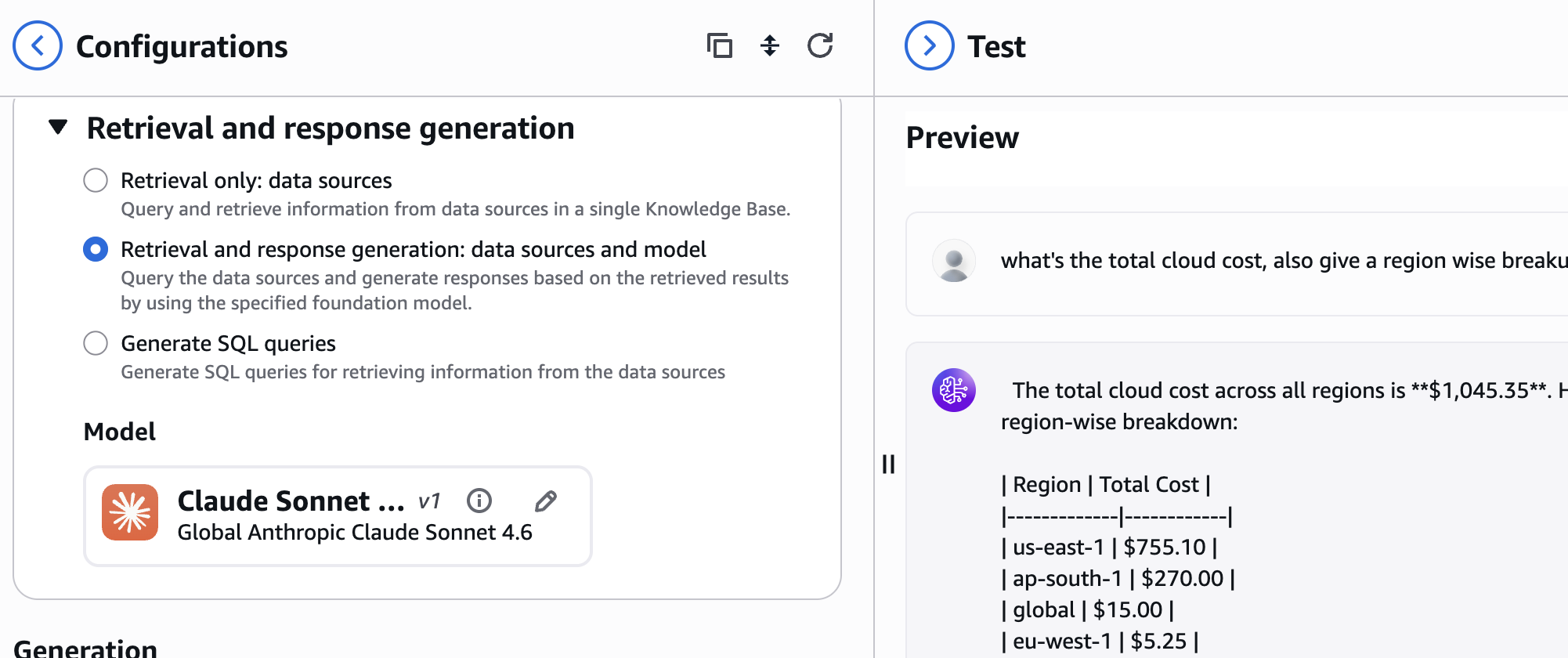
Alright, so that’s it for this post, it was somewhat a heavy exercice overall, but I think it would help us really when we have large data, than the simple data examples we have used. So far we tested with the test prompt option in the bedrock kb, we could expand this logic and use this KB with agents made using frameworks like strands, langgraph…Thank you for reading!